Fleet Management Software for Acumatica: What Are Your Options in 2026?
Acumatica is a strong cloud ERP for financials, distribution, manufacturing, and construction — but it was never built to track vehicles. If you run a fleet on Acumatica, here's how to connect dedicated fleet software to it.
Book a Demo See Fleet Integrations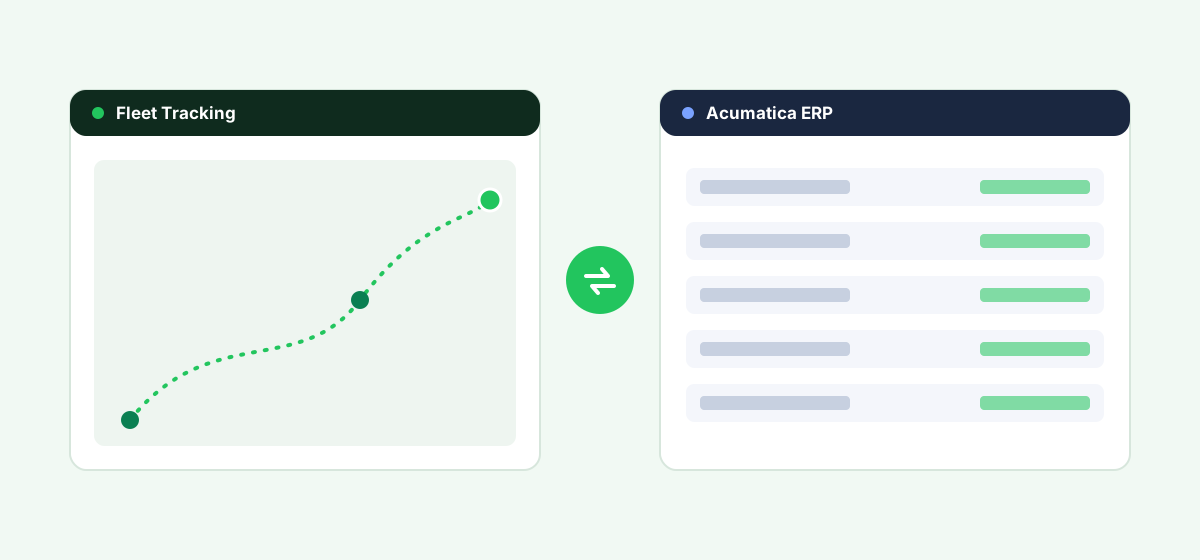
Acumatica is a strong cloud ERP for financials, distribution, manufacturing, and construction — but it was never built to track vehicles. If you run a fleet and manage your business on Acumatica, you have to bring in dedicated fleet software and connect it to your ERP yourself. This guide breaks down exactly what Acumatica does and doesn't cover, the realistic ways to connect fleet software to it, and how to evaluate your options before you buy.
Does Acumatica Have Fleet Management or GPS Tracking?
No. Acumatica's core platform — including Distribution Edition and Construction Edition — stops at the transactional layer: sales orders, shipment confirmations, job costing, and equipment billing. It does not include real-time GPS tracking, route optimization, driver behavior monitoring, or vehicle maintenance scheduling. Construction Edition goes further than the base product by tracking equipment usage and costs against jobs, but it still relies on manually entered data rather than live telematics feeds from vehicles.
This is a deliberate design choice, not a gap Acumatica is trying to fill. ERPs are systems of record for financial and operational transactions; fleet telematics platforms are systems of record for vehicle location, condition, and driver activity. The two are meant to work together, not replace each other.
Your Integration Options
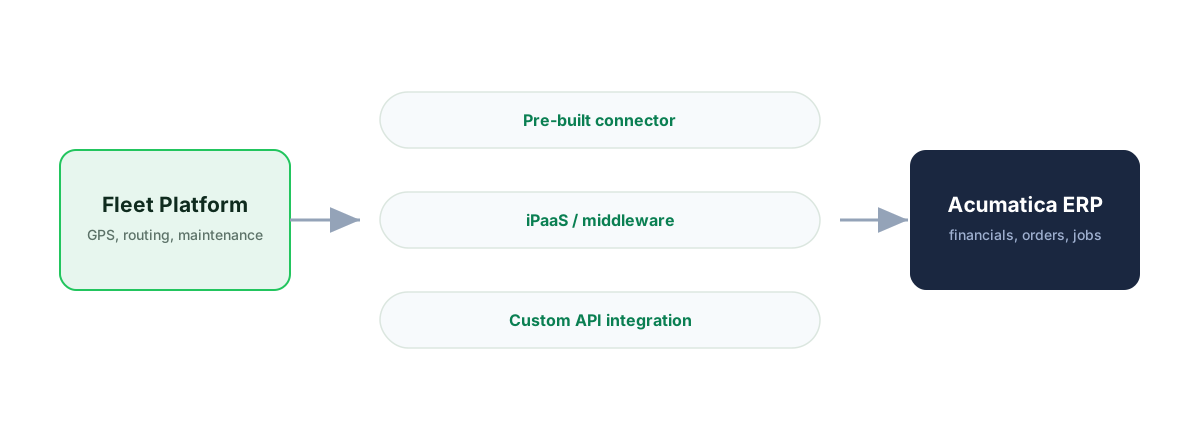
There are four realistic ways to get fleet data into (and out of) Acumatica. Which one fits depends on your fleet size, technical resources, and how deeply you need the two systems to talk to each other.
1. A Fleet Platform With a Pre-Built Acumatica Connector
A small number of fleet and delivery-management vendors have built direct connectors to Acumatica's REST API, typically syncing sales orders and shipments out of Acumatica and pushing delivery confirmations, proof-of-delivery, or mileage data back in. This is the lowest-effort path if a connector already exists for the fleet platform you're considering — ask any vendor you evaluate whether they have a live, maintained Acumatica integration (not just a "compatible via API" claim).
2. Middleware or iPaaS (Integration Platform as a Service)
Tools built for connecting cloud systems generally (rather than fleet-specific tools) can map data between a fleet platform's API and Acumatica's REST API or Contract-Based Web Services. This route gives you more flexibility — you're not limited to vendors with an existing Acumatica connector — but it adds an ongoing integration to maintain and typically requires either an in-house developer or a systems integrator familiar with Acumatica.
3. Direct API Integration (Custom Build)
For larger fleets or more complex data flows, a custom integration built directly against Acumatica's REST API and your fleet platform's API gives full control over exactly what syncs and when. This is the most flexible option and the most expensive to build and maintain — typically only worth it once you're running enough vehicles that off-the-shelf connectors and middleware don't fit your workflow.
4. Standalone Fleet Software, Manual or Batch Sync
Many smaller fleets simply run fleet management software independently and reconcile data with Acumatica periodically — exporting mileage or maintenance costs into accounting on a schedule rather than in real time. It's the least elegant option, but for a five- or ten-vehicle fleet it's often the fastest and cheapest way to get started.
| Option | Setup effort | Ongoing maintenance | Best for |
|---|---|---|---|
| Pre-built connector | Low | Low (vendor-maintained) | Fleets that find a vendor with a live Acumatica integration |
| Middleware / iPaaS | Medium | Medium | Fleets wanting flexibility without a custom build |
| Custom API integration | High | High | Larger fleets with in-house dev resources |
| Manual / batch sync | Low | Recurring manual effort | Small fleets just getting started |
How to Evaluate Fleet Management Software as an Acumatica User
Before comparing specific products, filter your shortlist against these criteria:
- Confirmed, maintained Acumatica connectivity. Ask for a reference customer currently running the integration, not just a marketing claim that "API integration is possible."
- What actually syncs. Some integrations only push shipment/delivery confirmations back to Acumatica; others sync mileage, fuel, and maintenance costs into your general ledger. Know which fields you actually need before you buy.
- Fit with your Acumatica edition. A fleet using Construction Edition for equipment and job costing has different integration needs than a distribution business syncing delivery routes.
- Fleet size and growth path. A connector-based tool may be plenty at 10 vehicles; a 200-vehicle operation is more likely to need custom API work regardless of vendor.
- Total cost, not just software cost. Factor in integration build/maintenance cost alongside the fleet platform's own subscription pricing. Our fleet software buyer's guide can help you shortlist.
Vendors Currently Serving Acumatica + Fleet Buyers
As of 2026, the market here is small and vendor-specific rather than served by a major, independent comparison site. Acumatica-focused delivery and fleet-tracking vendors exist and market directly to Acumatica users, and Acumatica's own partner/marketplace ecosystem lists some asset- and maintenance-management add-ons. Because this space changes quickly and few players are large enough to show up in third-party traffic or review data, verify current certification status and ask for a live demo against your own Acumatica instance rather than relying on a vendor's website claims alone.
Connecting Fleet to Acumatica?
See how Fleet's API and integrations sync delivery, mileage and maintenance data with your ERP.
Start a Free TrialStep-by-Step: Getting Fleet Data Flowing Into Acumatica
- Map your data first. List exactly which fields need to move between systems — sales orders out, delivery confirmations in, mileage into job costing, etc.
- Confirm API access. Acumatica exposes REST API and Contract-Based Web Services; confirm your Acumatica plan and edition include the API access level your integration needs.
- Choose your integration path from the four options above based on fleet size and technical resources.
- Pilot with a subset of vehicles before rolling the integration out fleet-wide.
- Set a review cadence. API integrations break when either system updates — schedule a periodic check rather than waiting for something to fail.
Frequently asked questions
Does Acumatica have built-in GPS tracking?
No. Acumatica does not include native GPS tracking, telematics, or real-time vehicle location features in any edition, including Construction Edition.
Can I connect Samsara, Geotab, or another telematics platform to Acumatica?
Generally yes, through Acumatica's REST API, but you'll need either a vendor with an existing Acumatica connector, a middleware/iPaaS tool, or a custom integration — check with the specific telematics vendor for current Acumatica connectivity.
Does Acumatica Construction Edition include fleet or equipment tracking?
It tracks equipment usage and costs against jobs and projects, but this is manually entered or integrated data — it does not include live GPS or telematics on its own.
What's the cheapest way to connect fleet software to Acumatica for a small fleet?
For fleets under roughly 10–15 vehicles, standalone fleet software with periodic manual or batch data export into Acumatica is usually the fastest and lowest-cost starting point.
Is there an official Acumatica fleet management module?
No. Acumatica relies on its partner ecosystem and API for fleet and telematics functionality rather than shipping a native module.
Bottom Line
If you run Acumatica, plan for fleet management as a separate system that connects in — not a feature you'll find natively. Start by mapping exactly what data needs to move between the two systems, then match that need to the lightest integration approach that gets you there.
See Fleet on your own data
Book a demo and see how Fleet connects to Acumatica against your real workflow.
Start a Free TrialCompare fleet software for other ERPs
Fleet software for Odoo
Native fit, integration options and how to connect.
Fleet software for NetSuite
Native fit, integration options and how to connect.
Fleet software for Microsoft Dynamics 365
Native fit, integration options and how to connect.
Fleet software for SAP Business One
Native fit, integration options and how to connect.