Odoo Fleet Management: What the Native App Covers — and Where You Need More
Odoo ships with a native Fleet app — unusual for an ERP. But it covers the administrative side, not real-time tracking. Here's what's built in, what's missing, and when you need a telematics integration on top.
Book a Demo See Fleet Integrations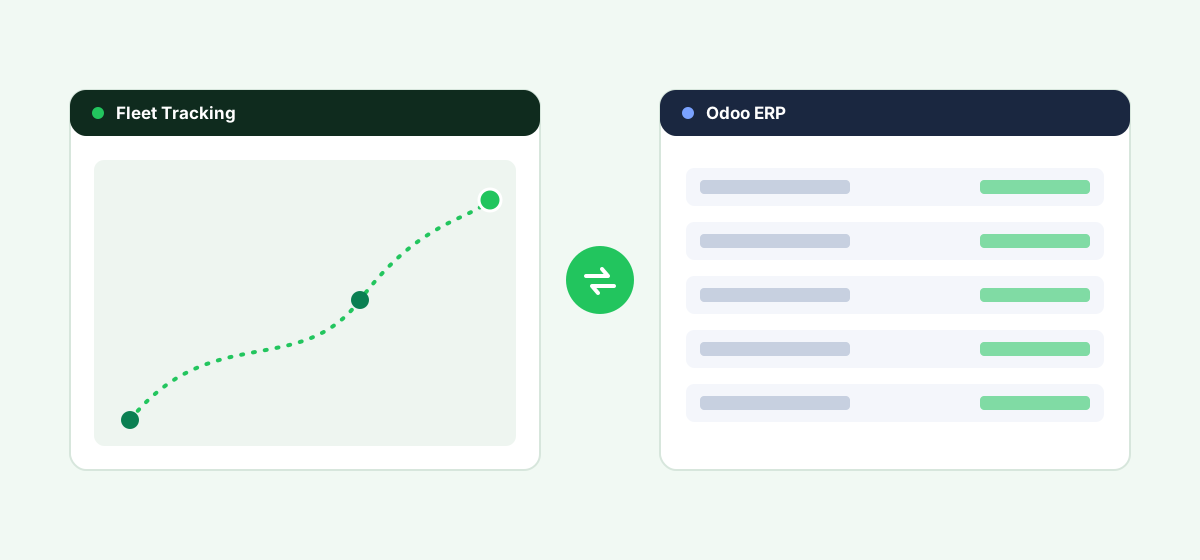
Odoo ships with a native Fleet app, which puts it in an unusual position compared with most ERPs: you don't have to bring in third-party software just to start managing a vehicle list. But "fleet management" means different things to different businesses, and Odoo's native app covers the administrative side — not real-time tracking. This guide explains exactly what's built in, what's missing, and how to decide whether the native app is enough or whether you need a telematics integration on top of it.
What Odoo's Native Fleet App Actually Does
Odoo's Fleet app is an administrative and cost-management tool built into the core platform. It typically covers:
- A central record of every vehicle, including make, model, and assigned driver
- Contract and lease tracking, including renewal and expiration dates
- Cost tracking across fuel, insurance, maintenance, and repairs
- Service and maintenance scheduling and history
- Odometer and mileage logging (manually entered)
- Driving log and fine/violation tracking in some configurations
This is genuinely useful for businesses that need to keep vehicle records, costs, and contracts organized inside the same system as their accounting and operations — without paying for a separate platform just to do that.
What Odoo's Native Fleet App Does Not Do
The native app does not include real-time GPS tracking, live map views, geofencing, route optimization, or driver behavior monitoring (harsh braking, speeding, idling). Mileage and vehicle condition data in the native app is manually entered rather than pulled automatically from a telematics device. If your business needs to know where a vehicle is right now, or needs automated proof of route and stop data, the native Fleet app alone will not get you there.
Native App vs. Third-Party Integration: How to Decide
| Need | Native Odoo Fleet app | Third-party telematics integration |
|---|---|---|
| Vehicle records, contracts, costs | ✅ Covered natively | Redundant if already using native app |
| Maintenance scheduling and history | ✅ Covered natively | Some overlap; can sync |
| Real-time GPS location | ❌ Not included | ✅ Required |
| Route optimization / dispatch | ❌ Not included | ✅ Required |
| Driver behavior monitoring | ❌ Not included | ✅ Required |
| Automated mileage capture | ❌ Manual entry only | ✅ Automated via device |
If your only requirement is administrative fleet record-keeping, the native app may be sufficient on its own. Most businesses that need live location or route data end up running both: the native app for costs and records, plus a telematics platform connected through Odoo's API for real-time data.
How to Connect a Telematics Platform to Odoo
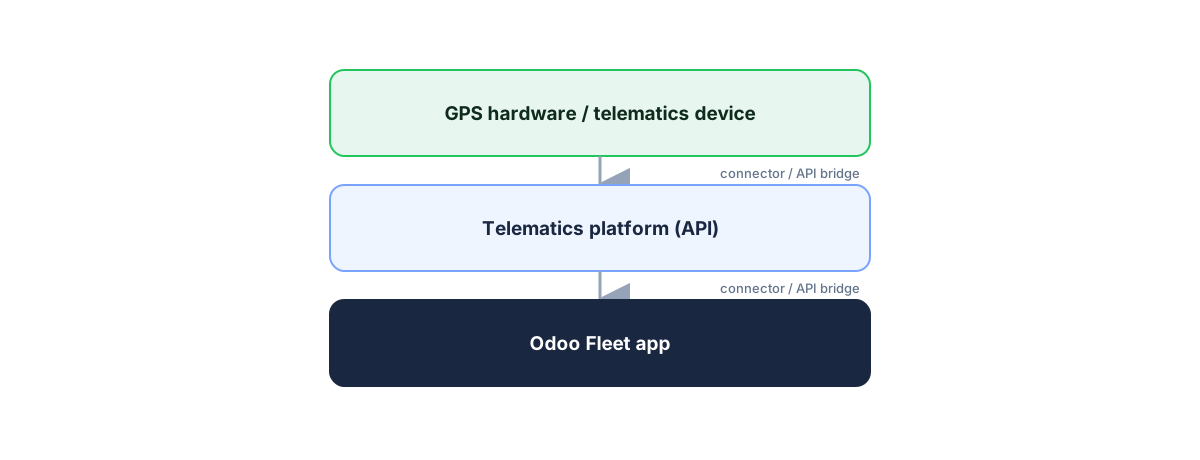
Odoo exposes an external API (XML-RPC/JSON-RPC) that third-party systems can use to read and write data, including into the Fleet app's models. In practice, connecting a telematics or GPS tracking platform to Odoo generally happens one of three ways:
1. A Pre-Built Odoo Connector
Some telematics and fleet-tracking vendors, and a number of Odoo implementation partners, offer modules or apps (through the Odoo Apps store or as custom-installed modules) that sync GPS and trip data directly into Odoo's Fleet records. This is the lowest-effort path if a well-maintained connector exists for the platform you want to use.
2. Middleware or a Custom API Bridge
Where no ready-made connector exists, a developer can build a bridge between the telematics platform's API and Odoo's XML-RPC/JSON-RPC API, syncing location, mileage, or maintenance-trigger data into the Fleet app on a schedule or in near-real time.
3. An Odoo Implementation Partner Build
Because Odoo is highly customizable and widely implemented by partner agencies, many businesses handle fleet/telematics integration as part of a broader Odoo implementation or customization project rather than as a standalone technical task.
Evaluation Checklist for Odoo Users
- Do you need the native app, a telematics integration, or both? Map your actual requirements (records vs. real-time data) before shopping for add-ons.
- Odoo version compatibility. Confirm any module or connector is maintained for your specific Odoo version — Odoo updates its major version annually, and third-party modules can lag behind.
- Community vs. Enterprise edition. Some integration approaches and app-store modules differ in availability between Odoo's Community and Enterprise editions — confirm before committing.
- Who maintains the integration. A module built by an Odoo partner agency for a one-off client project may not receive ongoing updates; a listed Odoo Apps store module or an established telematics vendor's connector is more likely to be maintained long-term.
- Data direction. Decide whether you need one-way sync (telematics → Odoo) or two-way (e.g., dispatch instructions from Odoo back to drivers).
Adding real-time tracking to Odoo?
See how Fleet's GPS tracking, routing and API complement Odoo's native Fleet app.
Start a Free TrialFrequently asked questions
Does Odoo have a built-in fleet management module?
Yes. Odoo includes a native Fleet app for vehicle records, contracts, cost tracking, and maintenance scheduling. It does not include real-time GPS tracking.
Can Odoo track vehicles in real time?
Not natively. Real-time GPS tracking requires connecting a third-party telematics platform to Odoo through its API or an Odoo Apps store module.
Is Odoo's Fleet app free?
Odoo's Fleet app is part of the core Odoo apps suite; pricing depends on which Odoo plan (Community or Enterprise) and how many users/apps your business runs — check Odoo's current pricing directly, as this changes over time.
What's the difference between Odoo Fleet and a dedicated fleet management platform?
Odoo Fleet handles administrative record-keeping (costs, contracts, maintenance history). Dedicated fleet platforms add real-time GPS, route optimization, and driver behavior monitoring — features Odoo's native app doesn't include.
Do I need an Odoo partner to connect telematics software?
Not necessarily — if a maintained connector already exists for your telematics platform, you may be able to install it directly. A custom integration or an unusual data-sync requirement is where an Odoo partner typically becomes worth it.
Bottom Line
Odoo is one of the few ERPs with genuine native fleet functionality — but it's cost and record management, not live tracking. Decide which side of that line your business actually needs before comparing specific telematics integrations.
See live tracking on top of Odoo
Book a demo and see how Fleet adds real-time GPS and routing to your Odoo setup.
Start a Free TrialCompare fleet software for other ERPs
Fleet software for Acumatica
Native fit, integration options and how to connect.
Fleet software for NetSuite
Native fit, integration options and how to connect.
Fleet software for Microsoft Dynamics 365
Native fit, integration options and how to connect.
Fleet software for SAP Business One
Native fit, integration options and how to connect.