Fleet Management Software for NetSuite: What Are Your Options in 2026?
Oracle NetSuite is a powerful cloud ERP — but it has no native fleet or GPS tracking. Here's how to connect dedicated fleet software to NetSuite, and how to choose the right integration path.
Book a Demo See Fleet Integrations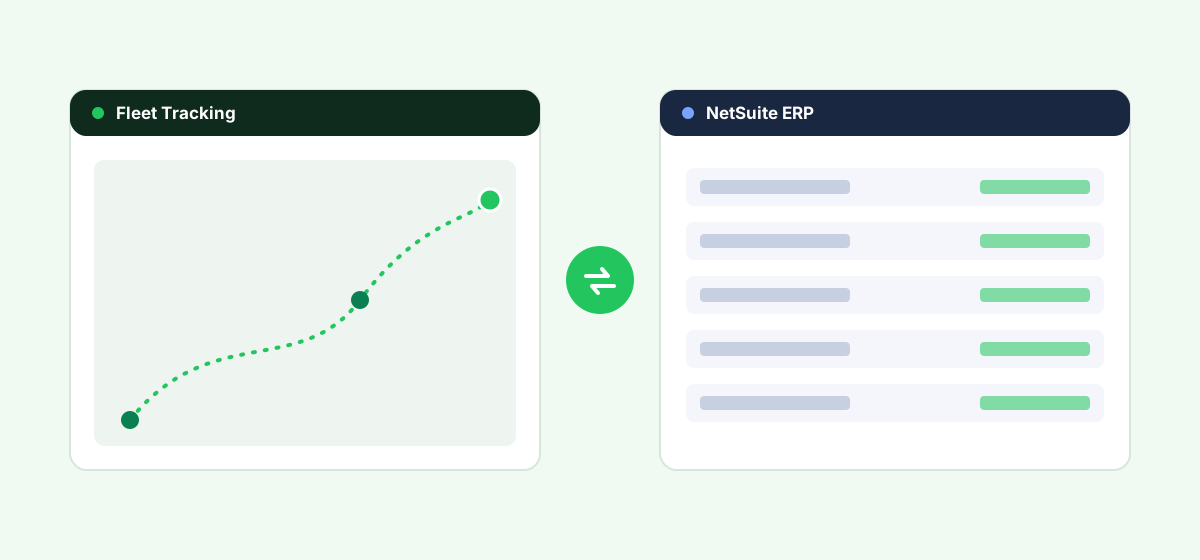
NetSuite is a capable ERP for finance and operations — but like most ERP platforms, it was never built to track vehicles. If you run a fleet on NetSuite, you'll connect dedicated fleet software to it yourself. This guide covers what NetSuite does and doesn't do for fleets, the realistic ways to connect the two systems, and how to evaluate your options.
Does NetSuite Have Fleet Management or GPS Tracking?
No. NetSuite does not include native real-time GPS tracking, route optimization, driver behavior monitoring, or vehicle maintenance scheduling. NetSuite's SuiteApps marketplace lists some asset- and field-service add-ons, but none turn NetSuite into a telematics platform. Its role is the transactional and financial system of record; a fleet telematics platform is the system of record for vehicle location, condition and driver activity. The two are designed to work together, not replace each other.
Your Integration Options
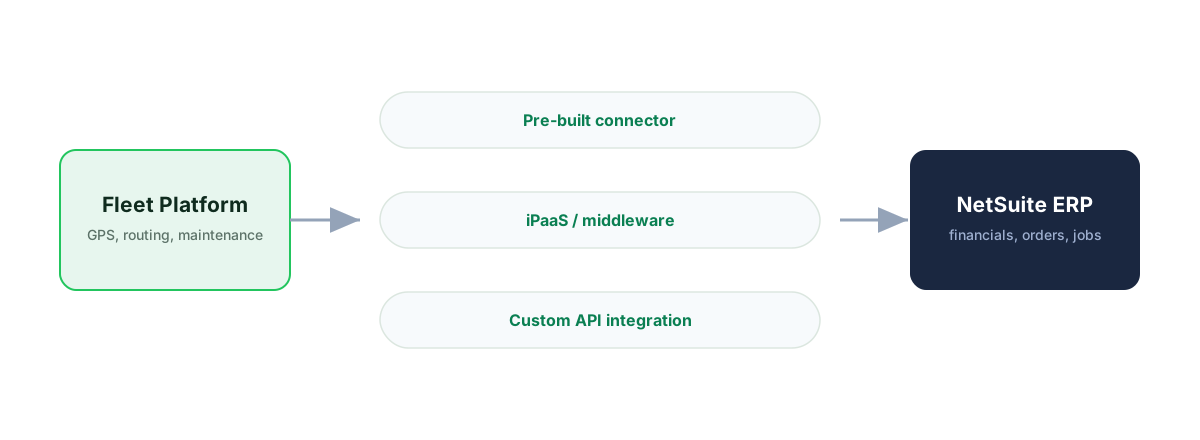
There are four realistic ways to connect fleet data with NetSuite. Which fits depends on your fleet size, technical resources and how deeply the two systems need to talk.
1. A Fleet Platform With a Pre-Built NetSuite Connector
Some fleet and delivery vendors, and ISV partners, offer connectors that sync orders and shipments out of NetSuite and push delivery confirmations, mileage or maintenance costs back in. It's the lowest-effort path — if a live, maintained connector exists for the platform you're evaluating. Ask for a reference customer, not a "compatible via API" claim.
2. Middleware or iPaaS
General cloud-integration tools can map data between a fleet platform's API and NetSuite via SuiteTalk REST and SOAP web services (and SuiteScript). This gives flexibility beyond vendors with a ready-made connector, but adds an integration to maintain and usually needs a developer or systems integrator familiar with NetSuite.
3. Direct API Integration (Custom Build)
For larger fleets or complex flows, a custom integration against NetSuite's SuiteTalk REST and SOAP web services (and SuiteScript) and your fleet platform's API gives full control over what syncs and when. It's the most flexible and the most expensive to build and maintain — worth it once off-the-shelf options no longer fit.
4. Standalone Fleet Software, Manual or Batch Sync
Many smaller fleets run fleet software independently and reconcile with NetSuite periodically — exporting mileage or maintenance costs on a schedule rather than in real time. Least elegant, but often the fastest and cheapest way for a small fleet to start.
| Option | Setup effort | Ongoing maintenance | Best for |
|---|---|---|---|
| Pre-built connector | Low | Low (vendor-maintained) | Fleets that find a live NetSuite connector |
| Middleware / iPaaS | Medium | Medium | Fleets wanting flexibility without a custom build |
| Custom API integration | High | High | Larger fleets with dev resources |
| Manual / batch sync | Low | Recurring manual effort | Small fleets just getting started |
How to Evaluate Fleet Software as a NetSuite User
- Confirmed, maintained NetSuite connectivity. Ask for a reference customer running the integration, not just an "API is possible" claim.
- What actually syncs. Delivery confirmations only, or also mileage, fuel and maintenance costs into your ledger? Know the fields you need before buying.
- Edition & module fit. A wholesale distributor syncing delivery routes has different needs than a services firm tracking equipment — match the integration to how you use NetSuite.
- Fleet size and growth path. A connector may suit 10 vehicles; a 200-vehicle operation is likelier to need custom API work.
- Total cost. Include integration build/maintenance alongside subscription price. Our buyer's guide helps you shortlist.
Connecting Fleet to NetSuite?
See how Fleet's API and integrations sync delivery, mileage and maintenance data with NetSuite.
Start a Free TrialStep-by-Step: Getting Fleet Data Into NetSuite
- Map your data first — which fields move each way (orders out, delivery confirmations in, mileage into costing).
- Confirm API access for your NetSuite plan and edition (SuiteTalk REST and SOAP web services (and SuiteScript)).
- Choose your integration path from the four options above.
- Pilot with a subset of vehicles before rolling out fleet-wide.
- Set a review cadence — integrations break when either system updates.
Frequently asked questions
Does NetSuite have built-in GPS tracking?
No. NetSuite does not include native GPS tracking, telematics, or real-time vehicle location features. Fleet tracking must come from a connected third-party platform.
Can I connect Samsara, Geotab, or another telematics platform to NetSuite?
Generally yes, through NetSuite's SuiteTalk REST/SOAP web services, using a vendor connector, a middleware/iPaaS tool, or a custom integration. Check the telematics vendor for current NetSuite connectivity.
Is there a NetSuite fleet management SuiteApp?
The SuiteApps marketplace lists some asset and field-service solutions, but there is no official Oracle fleet-telematics module. Fleet capability comes from partner apps or integrations.
What's the cheapest way to connect fleet software to NetSuite for a small fleet?
For fleets under roughly 10–15 vehicles, running standalone fleet software and exporting mileage or cost data into NetSuite on a schedule is usually the fastest, lowest-cost start.
Does NetSuite support real-time integration?
Yes. NetSuite's SuiteTalk web services support real-time and near-real-time integration, so a connected fleet platform can push and pull data as events happen, subject to your account's API limits.
Bottom Line
If you run NetSuite, plan for fleet management as a separate system that connects in — not a native feature. Map exactly what data needs to move between the two systems, then match it to the lightest integration approach that gets you there.
See Fleet on your own data
Book a demo and see how Fleet connects to NetSuite against your real workflow.
Start a Free TrialCompare fleet software for other ERPs
Fleet software for Acumatica
Native fit, integration options and how to connect.
Fleet software for Odoo
Native fit, integration options and how to connect.
Fleet software for Microsoft Dynamics 365
Native fit, integration options and how to connect.
Fleet software for SAP Business One
Native fit, integration options and how to connect.