Last-Mile Delivery Fleet Software That Integrates With Shopify and WooCommerce
Shopify and WooCommerce handle orders, inventory, and checkout — not delivery routing, driver assignment, or real-time delivery tracking. For e-commerce businesses running their own local delivery fleet, connecting a dedicated last-mile platform to your store is what turns orders into optimized routes and customer-facing tracking. Here's how that connection works.
Key takeaways
- Stores don't route: Shopify and WooCommerce manage orders, not fleet routing or live tracking.
- Easiest path: A listed Shopify App Store / WooCommerce plugin beats a custom API build.
- Sync direction: Confirm delivery status syncs back to the order to trigger customer notifications.
- Volume matters: Route optimization pays off as stops-per-route grow, not for a few deliveries a day.
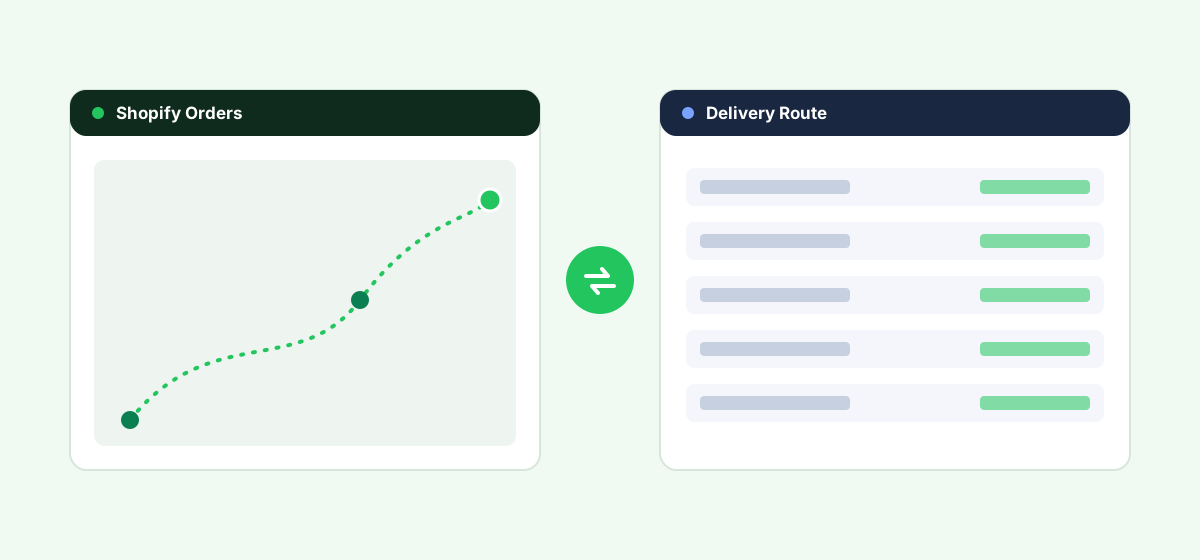
What Shopify and WooCommerce Don't Cover for Local Delivery
Both platforms are built around order and inventory management, with delivery handled either through standard carrier shipping (UPS, FedEx, USPS) or, for local delivery, through basic manual or app-based options that don't include route optimization, real-time driver tracking, or delivery-window management. Businesses running their own delivery fleet — grocery, meal kits, furniture, local retail — need a dedicated last-mile delivery platform layered on top for route planning and live tracking.
Integration Options
1. A Delivery Platform With a Built Shopify or WooCommerce App
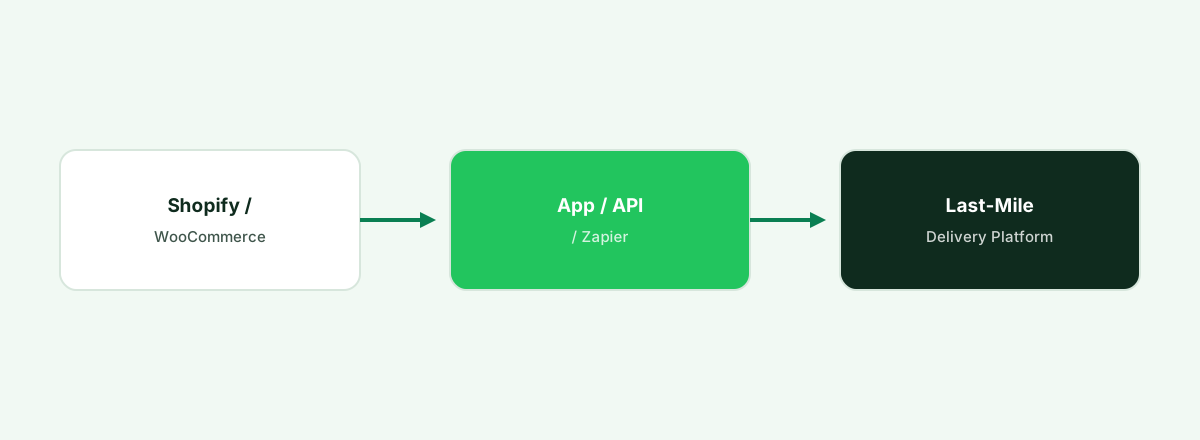
A meaningful number of last-mile delivery and route optimization platforms have built direct app integrations for Shopify (via the Shopify App Store) and WooCommerce (via a WordPress plugin), automatically pulling new orders into route planning without manual entry. This is the most turnkey path — check each platform's app store listing directly for current, actively maintained integrations.
2. API Integration
Both Shopify and WooCommerce expose well-documented APIs (Shopify's Admin API, WooCommerce's REST API) that a delivery platform or a developer can use to pull order data automatically where no packaged app exists, or to build more customized sync logic than a standard app supports.
3. Zapier or Similar Automation Tools
For simpler needs — like automatically creating a delivery task when a new order comes in — Zapier and similar no-code tools connect many delivery platforms to Shopify and WooCommerce without custom development.
| Option | Setup effort | Best for |
|---|---|---|
| Shopify App Store / WooCommerce plugin | Low | Businesses using a delivery platform with a listed, maintained integration |
| API integration | Medium–High | Businesses needing custom order-to-route logic |
| Zapier / automation tools | Low–Medium | Simple, trigger-based syncs |
Turning store orders into delivery routes?
Fleet pulls Shopify and WooCommerce orders into optimized routes with branded customer tracking.
Start a Free TrialWhat to Check Before Choosing a Delivery Platform
- Confirm the app listing is current on the Shopify App Store or WooCommerce plugin directory, including recent updates and reviews.
- What order data actually syncs — items, delivery address, and delivery-window preference, at minimum, for accurate route planning.
- Customer-facing tracking. Many delivery platforms offer branded tracking links or notifications back to the customer — confirm this fits your store's customer experience.
- Delivery-window and scheduling support, if your business offers customers a choice of delivery time slots at checkout.
- Multi-store support, if you run more than one Shopify or WooCommerce store feeding the same delivery fleet.
Frequently asked questions
Does Shopify have built-in local delivery route optimization?
Shopify includes basic local delivery and pickup options, but not route optimization or real-time driver tracking for a delivery fleet — that requires a connected, dedicated last-mile delivery platform.
How do I connect a delivery platform to my WooCommerce store?
Through a WooCommerce plugin if the delivery platform has one, WooCommerce's REST API for a custom integration, or a no-code tool like Zapier for simpler order-to-task automation.
Will delivery status sync back to Shopify or WooCommerce automatically?
Many integrations sync delivery status back to the order in your store, which can trigger customer notifications — confirm this specific behavior with the delivery platform, since it varies by integration.
Do I need route optimization software if I only make a few local deliveries a day?
For very low delivery volume, manual route planning may be sufficient — route optimization software becomes more valuable as delivery volume and the number of stops per route grow.
Bottom Line
If your e-commerce business runs its own local delivery fleet, check your delivery platform's Shopify App Store or WooCommerce plugin listing first — a maintained, packaged integration is almost always faster and more reliable than building a custom API connection from scratch.
See Fleet connect to your store
Book a demo and see Shopify and WooCommerce orders become live, optimized delivery routes.
Start a Free TrialRelated last-mile delivery resources
Last-mile software for small 3PLs
Multi-client delivery without enterprise overkill.
Route optimization + ERP integration
Connect order data from your ERP to route planning.
Route optimization
Plan efficient multi-stop delivery routes.
Driver & delivery app
Stops, proof of delivery and live status for drivers.