Construction Fleet Management Software That Integrates With Sage
Sage's construction products — Sage 300 Construction and Real Estate (CRE) and Sage Intacct Construction — handle job costing, accounting, and equipment cost allocation at a financial level, but neither includes GPS telematics or engine-hours maintenance scheduling. Here's how contractors connect a fleet/equipment platform for that layer of data.
Key takeaways
- Two products: Sage 300 CRE and Sage Intacct Construction are different platforms with different integrations.
- What's missing: Neither includes GPS location, engine-hours telematics, or automated maintenance scheduling.
- Where data lands: Fleet data flows into Sage's Equipment Cost module or general ledger.
- Common failure: Assuming a "Sage integration" fits both products is a frequent cause of failed implementations.
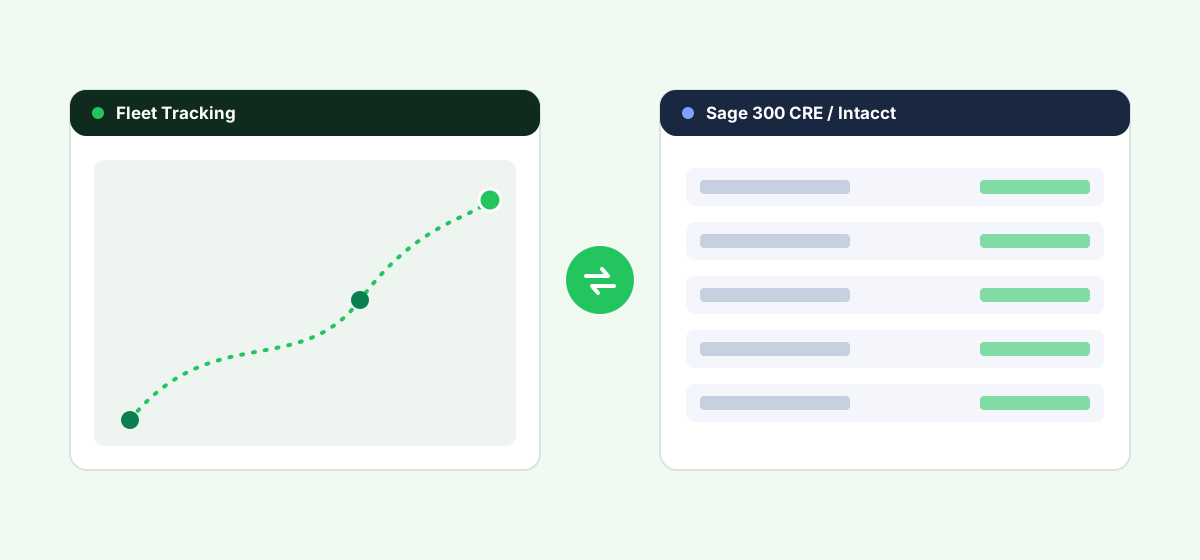
What Sage Construction Products Cover — and Don't
Sage 300 CRE includes an Equipment Cost module for tracking equipment costs and allocating them to jobs, and Sage Intacct Construction offers similar job-costing and equipment-cost functionality within its broader financial platform. Both handle the accounting side well — depreciation, cost allocation, billing rates — but neither includes real-time GPS location, engine-hours telematics, or automated maintenance scheduling. That data needs to come from a dedicated fleet/equipment platform and flow into Sage for accurate, automated cost allocation rather than manual entry.
Integration Options
1. A Fleet/Equipment Platform With a Built Sage Connector
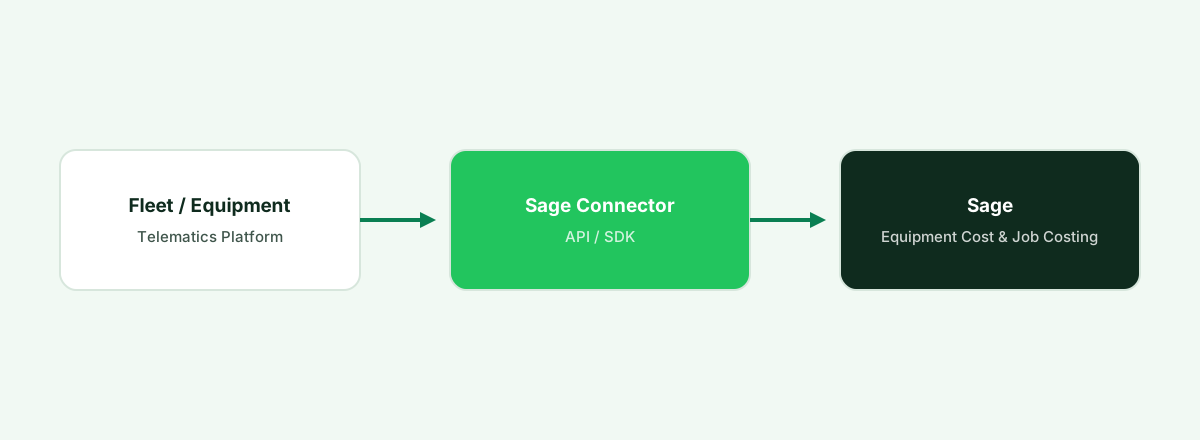
A number of equipment telematics and fleet platforms serving construction have built integrations specifically for Sage 300 CRE or Sage Intacct Construction, syncing engine-hours, utilization, and maintenance cost data into Sage's Equipment Cost module or general ledger. Confirm directly which specific Sage product the integration supports, since they're different products with different requirements.
2. Sage API / SDK Integration
Both Sage 300 CRE and Sage Intacct expose APIs (Sage Intacct's is a more modern, broadly documented REST/SOAP API; Sage 300 CRE integration is typically handled through its own SDK/data structure) that a fleet vendor or systems integrator can use to build a custom sync where no packaged connector exists.
3. Manual Equipment Cost Entry
Smaller contractors often track equipment costs and hours in their fleet/telematics platform and enter summarized costs into Sage's Equipment Cost module on a periodic (weekly or monthly) basis rather than building a live integration immediately.
| Option | Setup effort | Best for |
|---|---|---|
| Built Sage connector | Low–Medium | Contractors whose equipment platform has a maintained Sage integration |
| Sage API/SDK custom integration | Medium–High | Contractors needing a non-standard data flow |
| Manual equipment cost entry | Low | Smaller contractors or early-stage tracking needs |
Running Sage 300 CRE or Intacct Construction?
Fleet syncs engine-hours, utilization and maintenance cost into your Sage equipment cost module.
Start a Free TrialWhat to Check Before Choosing an Equipment Platform
- Which specific Sage product you run — 300 CRE and Intacct Construction are different platforms with different integration paths; confirm the vendor supports yours specifically.
- What syncs into the Equipment Cost module — hours and utilization only, or full maintenance cost data as well.
- Job-cost-code mapping accuracy, to keep equipment costs correctly allocated across active projects.
- Whether the integration is vendor-maintained or requires your own IT / implementation-partner involvement.
Frequently asked questions
Does Sage 300 CRE include equipment telematics or GPS tracking?
No. Sage 300 CRE's Equipment Cost module tracks and allocates equipment costs at a financial/job-costing level, but it does not include GPS tracking or engine-hours telematics — that requires a connected fleet/equipment platform.
Is Sage Intacct Construction the same as Sage 300 CRE for equipment tracking?
No — they're different products with different underlying architecture and integration methods. Confirm which one you're running before evaluating a fleet platform's Sage integration.
How do I get equipment hours and maintenance data into Sage automatically?
Through a fleet/equipment platform with a built Sage integration, a custom API/SDK build, or by defaulting to periodic manual entry into the Equipment Cost module for smaller operations.
Does Sage integration cost extra with fleet or telematics software?
It depends on the vendor — some include a maintained Sage connector as part of the standard subscription, while others charge additional implementation or integration fees, particularly for custom builds.
Bottom Line
If you run Sage 300 CRE or Sage Intacct Construction, confirm exactly which product a fleet platform's "Sage integration" claim refers to before buying — the two products aren't interchangeable, and the wrong assumption here is a common cause of failed implementations.
See Fleet connect to Sage
Book a demo and see equipment hours and cost flow into your Sage construction accounting.
Start a Free TrialRelated construction fleet resources
Fleet software + Procore
Connect equipment data into Procore job costing.
Heavy equipment maintenance software
What to look for beyond on-road fleet tools.
Fleet software for Acumatica
ERP-side equipment cost and integration options.
Construction fleet management
Fleet for contractors and construction operations.